Support for the BabyKeys app for Android, iPhone and iPad.
Something not working, or a question about the app? Write to support@growingkeys.com. A real person reads every message, usually answering within three working days.
Contact
E-mail is the only channel, and it is a real mailbox rather than a form. If something is broken, four lines make it much faster to fix:
the device and its system version — for example “iPad 9th generation, iPadOS 18”;
the language the app is set to;
what you did, and what happened instead;
a screenshot, if the problem is visible.
Write in any of the languages this page is available in, and we will answer in the same one.
What BabyKeys is
BabyKeys is a game for children of roughly one to three years old, for Android, iPhone and iPad, in nine languages. The child touches the screen and animals, vehicles and fruit appear — each with its own sound, and every one says its name aloud. There is nothing to lose and nothing to get wrong: every touch produces something, and in the games for older children a wrong choice simply floats back into place.
Two things make it personal, and both are free. A parent can record their own voice onto the objects, the greetings and the prompt for each game, so the game names the cow in a voice the child already knows. And a parent can add their own photographs, up to eight: they take turns with the built-in backgrounds, so the animals tumble across a familiar kitchen, and they become pictures to colour in and, with the full version, puzzles.
Questions we are asked
Where do the voice recordings go?
Nowhere. A recording a parent makes is written to the app’s own private storage on that device and stays there. It is not uploaded, not analysed, not shared, and no speech recognition is performed on it. Its only purpose is to be played back inside the game, on the same device. Deleting the app removes the recordings with it.
What data does the app collect?
None. BabyKeys has no analytics, no advertising, no crash reporting and no third-party components beyond the stores’ own billing library. It asks for no name, no age, no e-mail and no account, and the only network connection is the store’s own: its billing library asks the store whether the full version has been bought — Google Play on Android, at startup and whenever the app comes back from the background; the App Store on iPhone and iPad, at startup, after which StoreKit itself reports any change to the purchase while the app is open. Nothing reaches us — we have no servers. The full privacy policy says the same at greater length.
How do I restore my purchase on a new device?
Tap the gear, pass the parental gate, open the last tab, App, and press Restore purchase in its Full version section. The purchase is tied to the store account that paid for it, so sign in to that same Google or Apple account on the new device first. It is a one-time lifetime purchase: restoring it costs nothing and can be done as often as you like.
If the button reports nothing to restore, check that the device is signed in to the right account and has a working connection at that moment, then write to us with the store account’s e-mail address and the approximate date of purchase.
How do I get into the parental settings?
Everything meant for adults — settings, the play-time limit, voice recording, photographs, the purchase, our e-mail and the privacy policy — sits behind a parental gate: a multiplication question with four answers to choose from. Three ways lead to it. Tap the grey gear in the top-right corner of the menu, and the settings open. Press and hold a tile with a padlock for three seconds, and you land straight on the App tab, which opens with the Full version section. Or, on the first two launches, press Record words on the short note for parents, and you go straight to voice recording. A toddler will not pass the gate by chance; an adult passes it in a second.
Is there advertising, or a subscription?
Neither. There are no banners, no interstitials, no rewarded video and no cross-promotion of any kind. There is no subscription either — just one optional, one-time purchase that unlocks the remaining games and sets for good. You can use the app without ever buying it.
How do I delete recordings and photographs?
In the parental settings, where they were added: recordings are removed word by word, and photographs one at a time. There is no button that resets all settings at once; each one is changed back by hand. Start from the beginning returns only the difficulty to the simplest level, and Show all brings back any games or sets you have hidden. Uninstalling the app erases all of it without remainder, because none of it exists anywhere else: there is no copy on any server of ours, so there is nothing for you to request the deletion of. If you want to check, or need help doing any of this, write to support@growingkeys.com.
Can I limit how long the child plays?
Yes. In the parental settings you decide how many minutes a session lasts. When the time is up the game winds down on its own, so nobody has to take the tablet out of small hands.
How do I get back to the menu?
Press and hold the faint cross in the top-left corner of the game for three seconds; a ring fills while you hold. A quick tap there does not count, on purpose, so a toddler cannot leave a game by accident. On Android the system Back button also returns to the menu.
Which languages does it speak?
Nine: English, Russian, Ukrainian, German, Spanish, French, Italian, Polish and Portuguese — the interface and the spoken words alike. The app starts in the device’s language if it is one of the nine, and in English otherwise; a parent can switch it in the parental settings, and from then on it stays, whatever the device language.
What it looks like
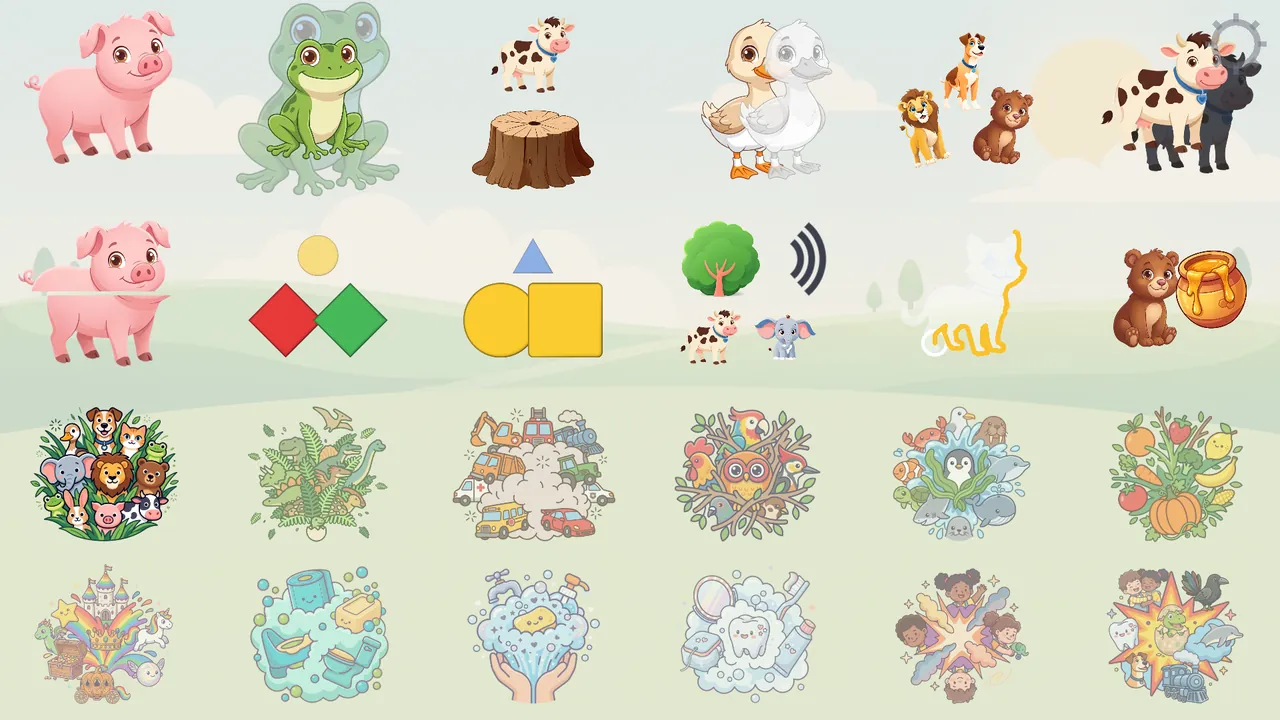
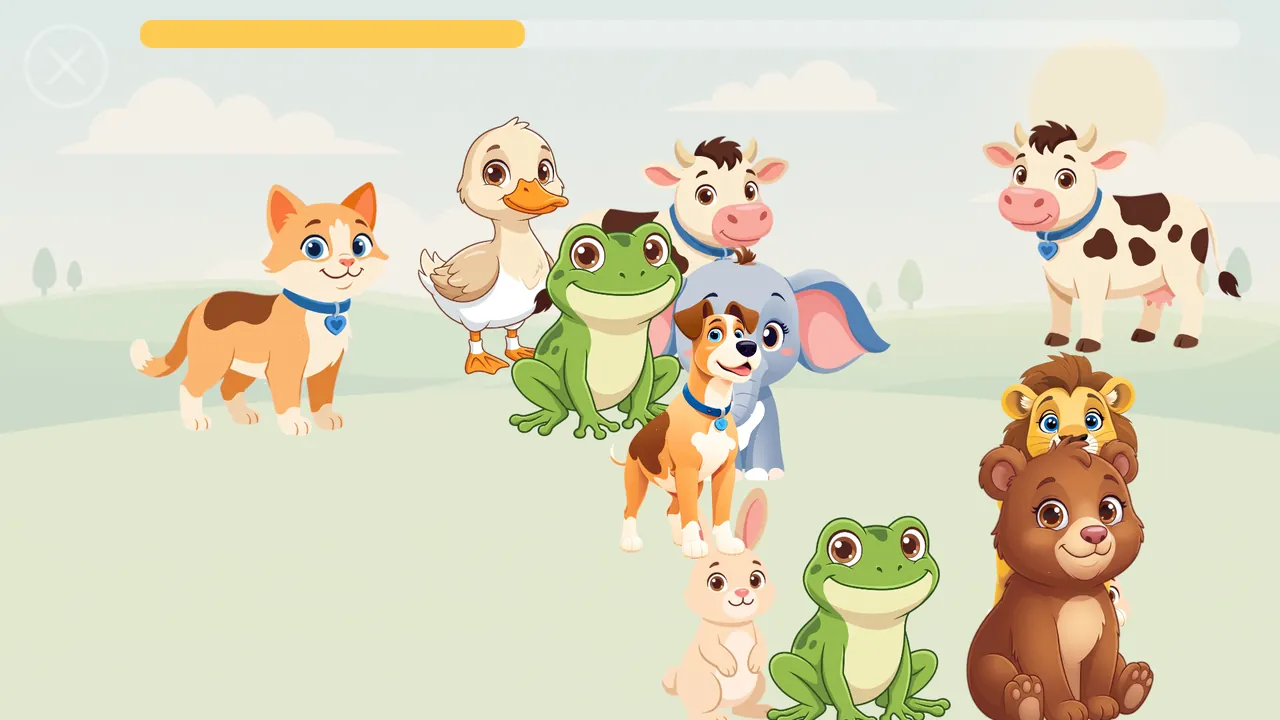
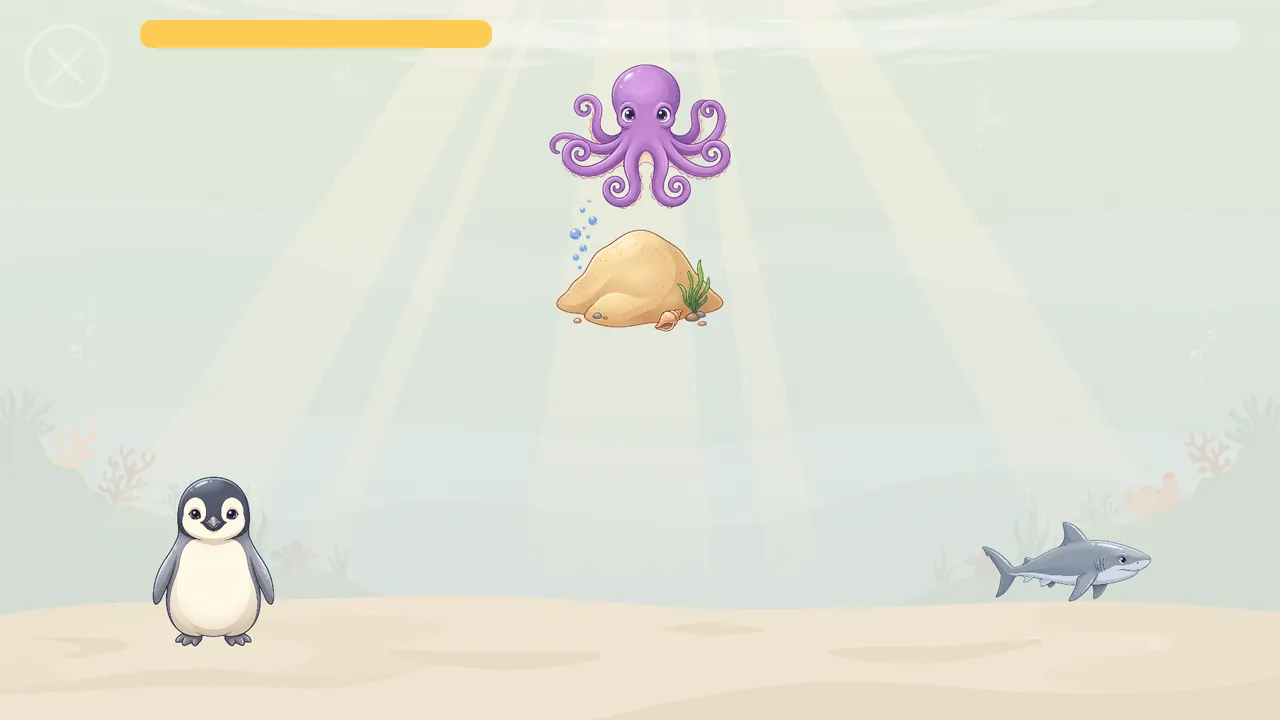
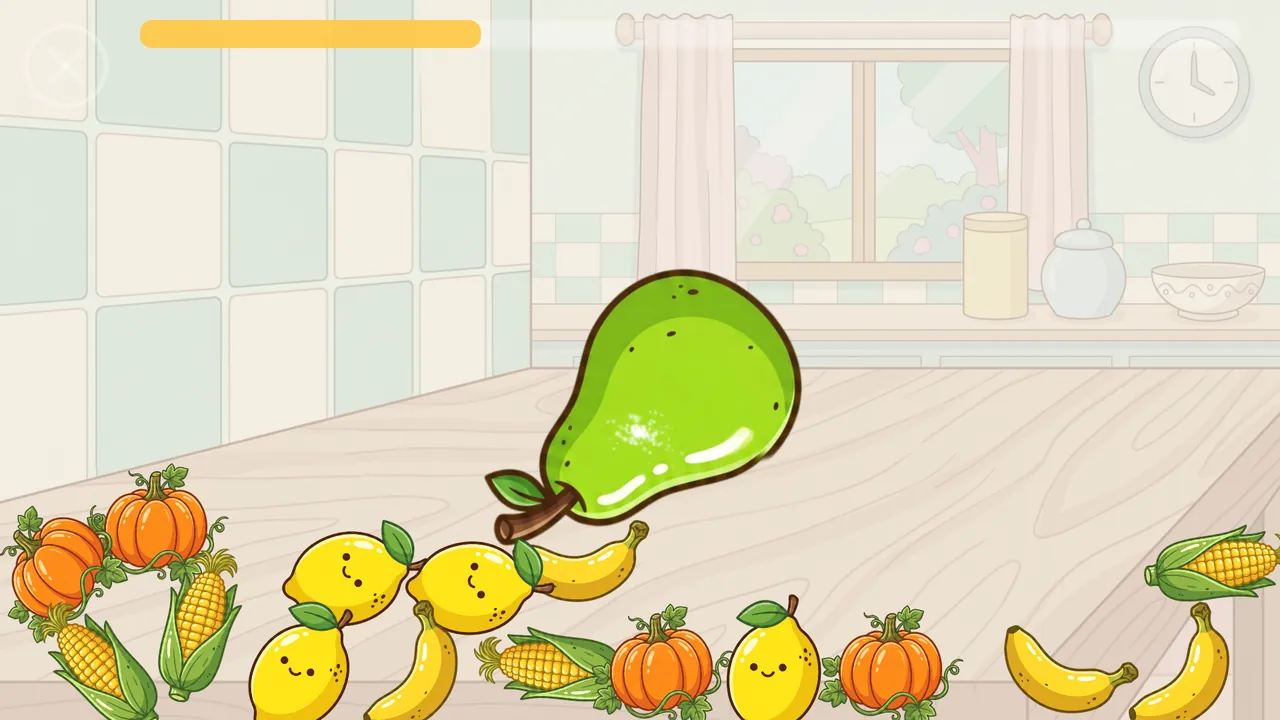
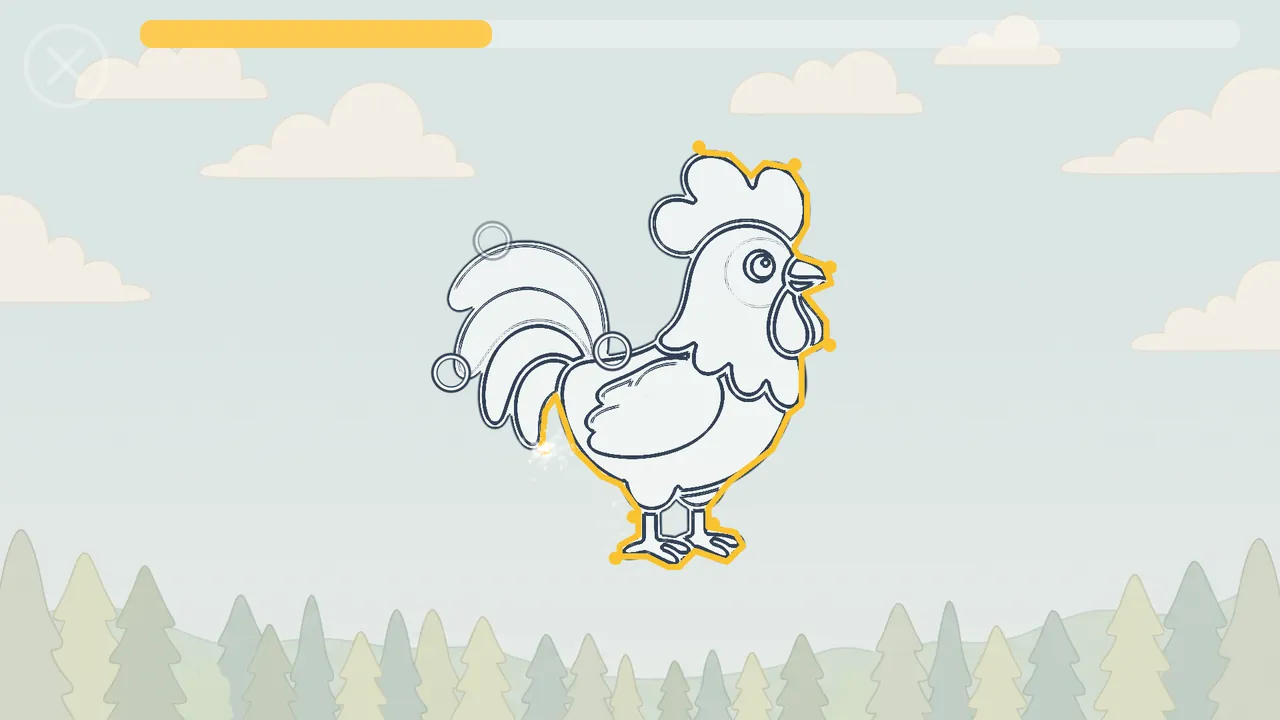
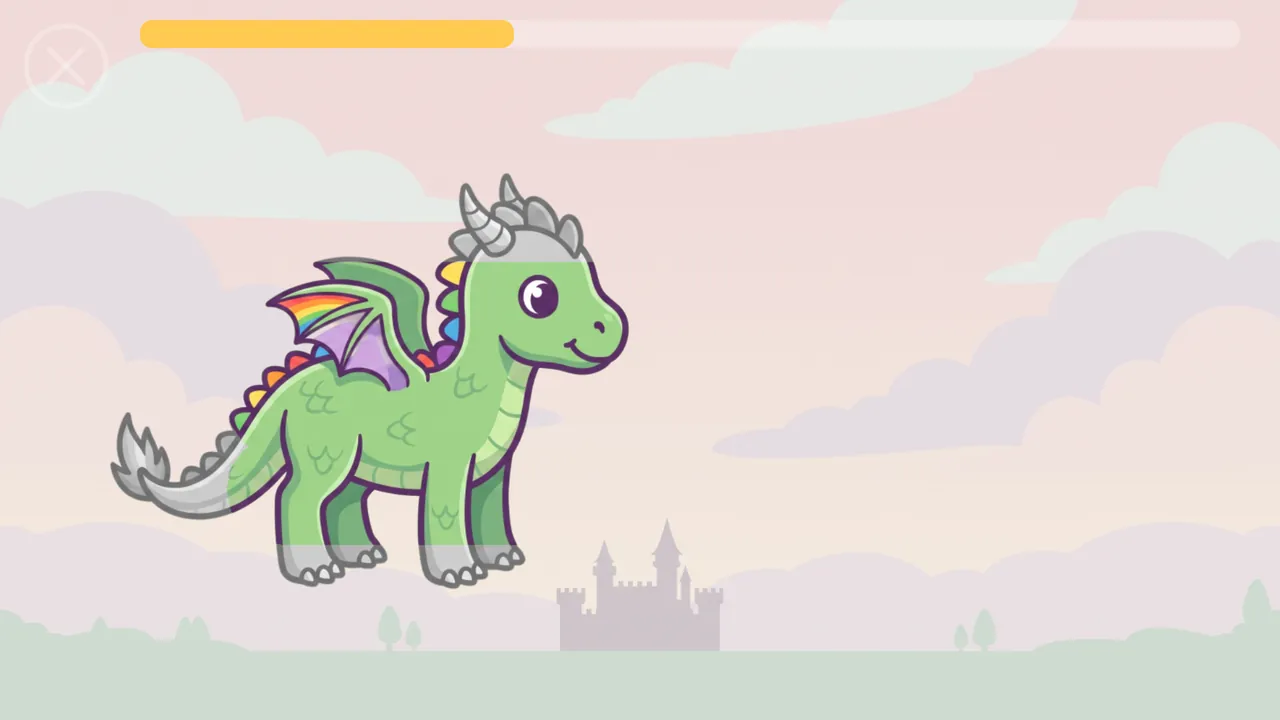
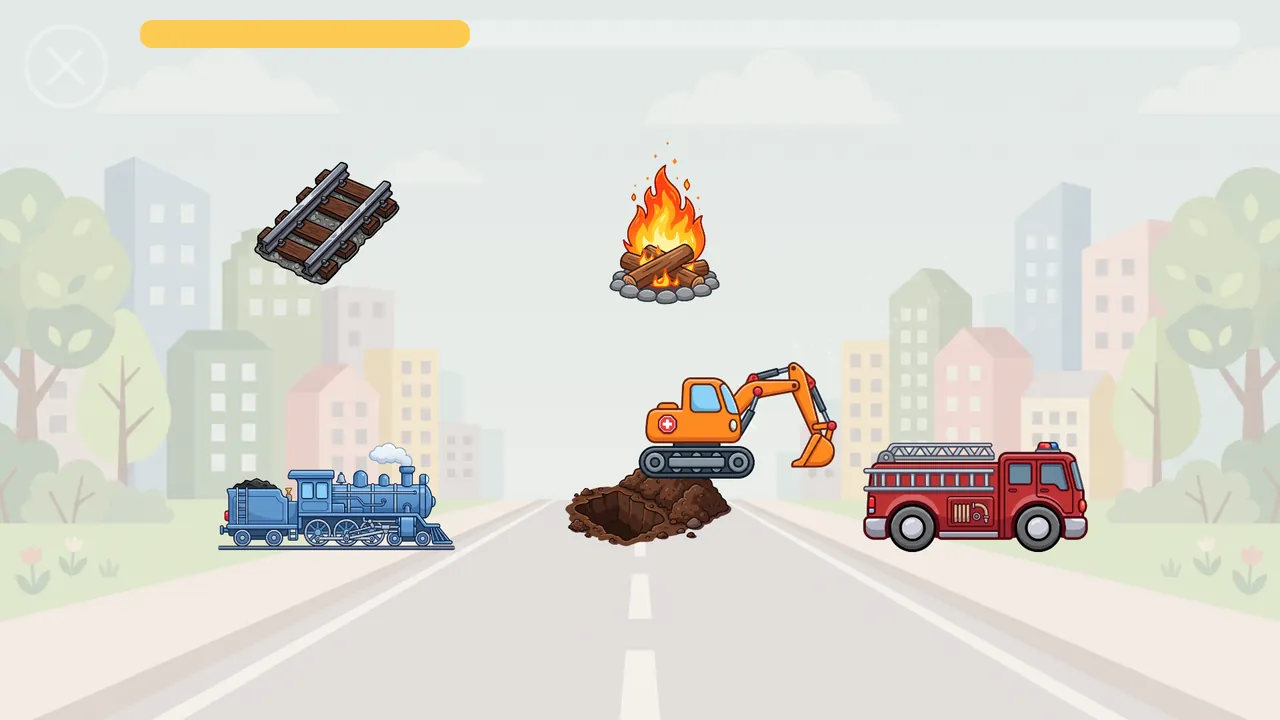
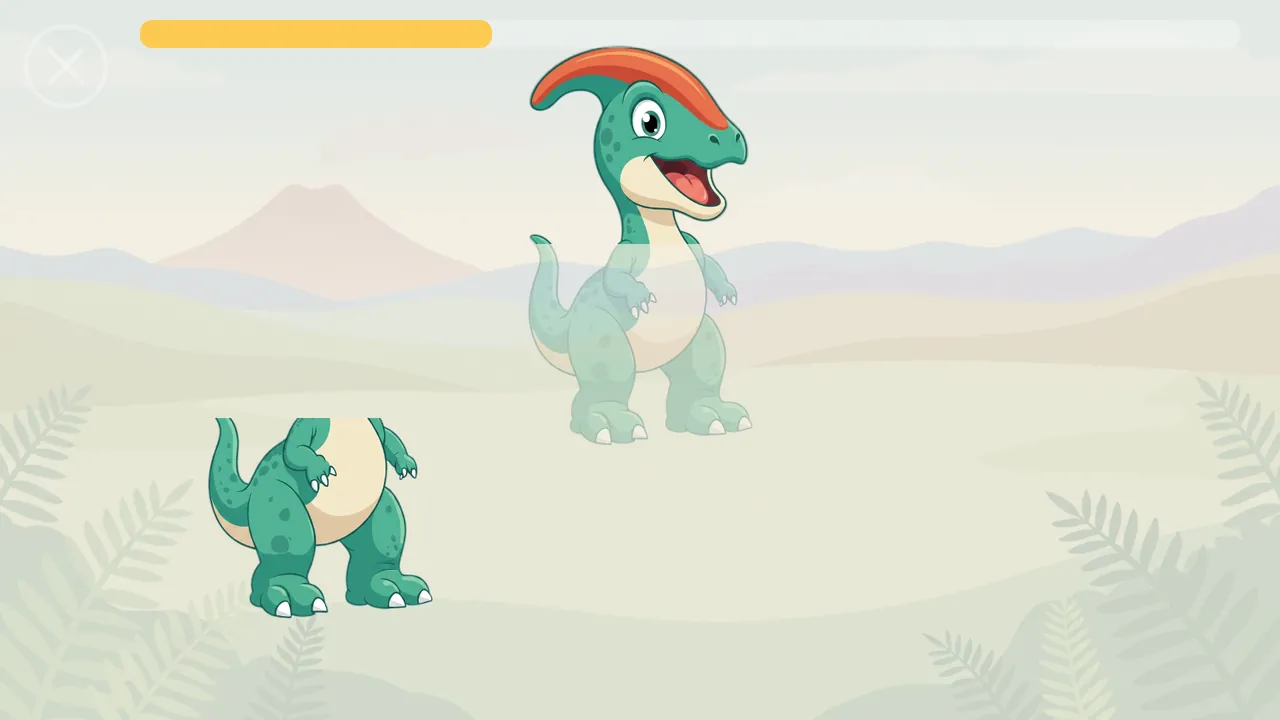
Twelve games on top, twelve sets below, here with the full version; without it, seven of each carry a padlock. Pictures only, nothing to read.Tap-Tap: every touch brings out an animal somewhere on the meadow, with its own sound, and in turn its name.Who called? — a hiding place calls out with a sound and a name, and the child finds the right picture below. In the full version.Tumble: drag a thing onto its twin and they merge into a bigger one; a giant that eats all its twins sets off fireworks.Trail: follow the rings around the outline, and the drawing fills with colour and says its name. In the full version.Magic Brush in its free colouring style: the colour comes back wherever the finger sweeps.Who with whom? — bring together things that belong together. In the full version.Puzzle: a picture in two to four pieces, dragged into place or sent there by a tap. In the full version.
BabyKeys (com.growingkeys.babykeys) is published by Yuliia Bazko, a sole trader (JDG) registered in Poland, trading as Growing Keys. Write to support@growingkeys.com; the privacy policy is at growingkeys.com/privacy.
BabyKeys — поддержка
Поддержка приложения BabyKeys для Android, iPhone и iPad.
Что-то не работает или есть вопрос по приложению? Напишите на support@growingkeys.com. Каждое письмо читает живой человек, обычно отвечаем в течение трёх рабочих дней.
Контакты
Почта — единственный канал, и это настоящий ящик, а не форма. Если что-то сломалось, четыре строчки сильно ускоряют починку:
устройство и версия системы — например, «iPad 9-го поколения, iPadOS 18»;
язык, на который переключено приложение;
что вы сделали и что произошло вместо ожидаемого;
скриншот, если проблему видно.
Пишите на любом из языков, на которых доступна эта страница, — ответим на нём же.
Что такое BabyKeys
BabyKeys — игра для детей примерно от года до трёх, для Android, iPhone и iPad, на девяти языках. Ребёнок касается экрана, и появляются звери, машинки и фрукты — у каждого свой звук, и каждый называет себя вслух. Здесь нечего проиграть и негде ошибиться: любое касание что-нибудь да вызывает, а в играх для детей постарше неверный выбор просто мягко возвращается на место.
Две вещи делают игру личной, и обе бесплатны. Родитель может записать собственный голос на объекты, приветствия и подсказку к каждой игре, и тогда корову называет голос, который ребёнок уже знает. И родитель может добавить свои фото, до восьми штук: они чередуются со встроенными фонами — и звери катятся по знакомой кухне, — а ещё становятся картинками для раскраски и, в полной версии, пазлами.
О чём спрашивают
Куда попадает записанный голос?
Никуда. Запись, которую сделал родитель, пишется в частное хранилище приложения на этом устройстве и там остаётся. Она никуда не загружается, не анализируется, никому не передаётся, и никакого распознавания речи над ней не выполняется. Единственное её назначение — звучать внутри игры на этом же устройстве. Удаление приложения стирает записи вместе с ним.
Какие данные собирает приложение?
Никаких. В BabyKeys нет аналитики, нет рекламы, нет сбора отчётов о сбоях и нет сторонних компонентов, кроме библиотеки оплаты самих магазинов. Приложение не спрашивает ни имени, ни возраста, ни почты, ни учётной записи, а единственное сетевое соединение принадлежит самому магазину: его библиотека оплаты спрашивает, куплена ли полная версия, — Google Play на Android при запуске и при каждом возврате приложения из фона, App Store на iPhone и iPad при запуске, а дальше StoreKit сам сообщает об изменениях покупки, пока приложение открыто. До нас не доходит ничего — серверов у нас нет. Полная политика конфиденциальности говорит то же самое подробнее.
Как восстановить покупку на новом устройстве?
Нажмите на шестерёнку, пройдите родительские ворота, откройте последнюю вкладку, «Приложение», и в разделе «Полная версия» нажмите «Восстановить покупку». Покупка привязана к учётной записи магазина, с которой была оплачена, поэтому сначала войдите на новом устройстве в тот же аккаунт Google или Apple. Покупка разовая и пожизненная: восстановление ничего не стоит и делается сколько угодно раз.
Если кнопка сообщает, что восстанавливать нечего, проверьте, что устройство вошло в нужный аккаунт и в этот момент есть связь, а затем напишите нам, указав адрес почты аккаунта магазина и примерную дату покупки.
Как попасть в родительские настройки?
Всё, что предназначено взрослым — настройки, ограничение времени игры, запись голоса, фотографии, покупка, письмо нам и политика конфиденциальности, — закрыто родительскими воротами: это пример на умножение с четырьмя вариантами ответа. Попасть к ним можно тремя путями. Нажмите на серую шестерёнку в правом верхнем углу меню — откроются настройки. Подержите три секунды плитку с замком — попадёте сразу на вкладку «Приложение», где первым идёт раздел «Полная версия». Или на первых двух запусках нажмите «Записать слова» в короткой памятке для родителя — и попадёте сразу в запись голоса. Малыш не пройдёт ворота случайно, взрослый проходит их за секунду.
Есть ли реклама или подписка?
Ни того, ни другого. Нет ни баннеров, ни полноэкранных вставок, ни видео за вознаграждение, ни перекрёстного продвижения в каком-либо виде. Подписки тоже нет — только одна необязательная разовая покупка, которая насовсем открывает остальные игры и наборы. Приложением можно пользоваться, так ничего и не купив.
Как удалить записи и фотографии?
В родительских настройках, там же, где они добавлялись: записи удаляются по словам, фотографии — по одной. Кнопки, которая сбрасывает все настройки разом, нет: каждую меняют обратно вручную. «Начать сначала» сбрасывает только сложность — до самого простого уровня, а «Показать все» возвращает скрытые игры и наборы. Удаление приложения стирает всё это без остатка, потому что больше этого нигде нет: копий на наших серверах не существует, и запрашивать удаление вам не у кого. Если хотите проверить или нужна помощь — напишите на support@growingkeys.com.
Можно ли ограничить время игры?
Да. В родительских настройках вы решаете, сколько минут длится сеанс. Когда время выходит, игра плавно заканчивается сама, и планшет не приходится выдёргивать из маленьких рук.
Как вернуться в меню?
Нажмите на бледный крестик в левом верхнем углу игры и подержите три секунды — пока вы держите, вокруг него заполняется кольцо. Короткое касание намеренно не считается, чтобы малыш не вышел из игры случайно. На Android в меню возвращает и системная кнопка «Назад».
На каких языках она говорит?
На девяти: английском, русском, украинском, немецком, испанском, французском, итальянском, польском и португальском — и интерфейс, и произносимые слова. Сначала игра говорит на языке устройства, если он из этих девяти, а иначе по-английски; в родительских настройках язык можно сменить, и дальше он уже не зависит от языка устройства.
Как это выглядит
Двенадцать игр сверху, двенадцать наборов снизу — здесь в полной версии; без неё на семи играх и семи наборах висит замок. Одни картинки, читать ничего не нужно.Тук-тук: на каждое касание где-то на лугу появляется зверь со своим звуком, а в свой черёд и с названием.Кто позвал? — из укрытия доносятся звук и название, а ребёнок находит нужную картинку внизу. В полной версии.Куча-мала: предмет, донесённый до двойника, сливается с ним в один, побольше, а великан, съевший всех своих двойников, запускает салют.Дорожка: палец проходит по кольцам вдоль контура — и рисунок наливается цветом и называет себя. В полной версии.Кисточка в бесплатном стиле «раскраска»: цвет возвращается там, где прошёл палец.Кто с кем: свести вместе то, что связано друг с другом. В полной версии.Пазл: картинка из двух, трёх или четырёх частей — их переносят пальцем или отправляют на место касанием. В полной версии.
BabyKeys (com.growingkeys.babykeys) издаёт Yuliia Bazko, индивидуальный предприниматель (JDG), зарегистрированный в Польше и работающий под названием Growing Keys. Писать на support@growingkeys.com; политика конфиденциальности — growingkeys.com/privacy.
BabyKeys — підтримка
Підтримка застосунку BabyKeys для Android, iPhone та iPad.
Щось не працює або є питання щодо застосунку? Напишіть на support@growingkeys.com. Кожен лист читає жива людина, зазвичай відповідаємо протягом трьох робочих днів.
Контакти
Пошта — єдиний канал, і це справжня скринька, а не форма. Якщо щось зламалося, чотири рядки значно пришвидшують ремонт:
пристрій і версія системи — наприклад, «iPad 9-го покоління, iPadOS 18»;
мова, на яку перемкнено застосунок;
що ви зробили і що сталося натомість;
знімок екрана, якщо проблему видно.
Пишіть будь-якою з мов, якими доступна ця сторінка, — відповімо тією самою.
Що таке BabyKeys
BabyKeys — гра для дітей приблизно від року до трьох, для Android, iPhone та iPad, дев’ятьма мовами. Дитина торкається екрана, і з’являються звірі, машинки та фрукти — у кожного свій звук, і кожен називає себе вголос. Тут нічого програти й ніде помилитися: будь-який дотик щось та викликає, а в іграх для старших дітей хибний вибір просто м’яко повертається на місце.
Дві речі роблять гру особистою, і обидві безплатні. Батьки можуть записати власний голос на об’єкти, привітання й підказку до кожної гри, і тоді корову називає голос, який дитина вже знає. І батьки можуть додати свої світлини, щонайбільше вісім: вони чергуються із вбудованими тлами, тож звірі котяться знайомою кухнею, а ще стають картинками для розмальовки й, у повній версії, пазлами.
Про що запитують
Куди потрапляє записаний голос?
Нікуди. Запис, який зробили батьки, пишеться у приватне сховище застосунку на цьому пристрої й там залишається. Він нікуди не завантажується, не аналізується, нікому не передається, і жодного розпізнавання мовлення над ним не виконується. Єдине його призначення — звучати всередині гри на цьому самому пристрої. Видалення застосунку стирає записи разом із ним.
Які дані збирає застосунок?
Жодних. У BabyKeys немає аналітики, немає реклами, немає збору звітів про збої й немає сторонніх компонентів, окрім бібліотеки оплати самих магазинів. Застосунок не питає ні імені, ні віку, ні пошти, ні облікового запису, а єдине мережеве з’єднання належить самому магазину: його бібліотека оплати питає, чи куплено повну версію. На Android це Google Play — під час запуску й щоразу, коли застосунок повертається з фону; на iPhone та iPad це App Store — під час запуску, а далі StoreKit сам повідомляє про зміни покупки, поки застосунок відкритий. До нас не доходить нічого — серверів у нас немає. Повна політика конфіденційності каже те саме докладніше.
Як відновити покупку на новому пристрої?
Натисніть на шестерню, пройдіть батьківський бар’єр, відкрийте останню вкладку, «Додаток», і в розділі «Повна версія» натисніть «Відновити покупку». Покупка прив’язана до облікового запису магазину, з якого її оплачено, тому спершу увійдіть на новому пристрої в той самий акаунт Google або Apple. Покупка разова й довічна: відновлення нічого не коштує й робиться скільки завгодно разів.
Якщо кнопка повідомляє, що відновлювати нічого, перевірте, що пристрій увійшов у потрібний акаунт і в цю мить є зв’язок, а потім напишіть нам, зазначивши адресу пошти акаунта магазину та приблизну дату покупки.
Як потрапити в батьківські налаштування?
Усе, що призначено дорослим — налаштування, обмеження часу гри, запис голосу, світлини, покупка, лист нам і політика конфіденційності, — закрите батьківським бар’єром: це приклад на множення з чотирма варіантами відповіді. Дістатися до нього можна трьома шляхами. Натисніть на сіру шестерню в правому верхньому куті меню — відкриються налаштування. Потримайте три секунди плитку із замком — і потрапите одразу на вкладку «Додаток», де першим іде розділ «Повна версія». Або під час перших двох запусків натисніть «Записати слова» в короткій пам’ятці для батьків — і потрапите одразу до запису голосу. Малюк не пройде бар’єр випадково, дорослий проходить його за секунду.
Чи є реклама або передплата?
Ні того, ні іншого. Немає ні банерів, ні повноекранних вставок, ні відео за винагороду, ні перехресного просування в будь-якому вигляді. Передплати теж немає — лише одна необов’язкова разова покупка, яка назавжди відкриває решту ігор і наборів. Застосунком можна користуватися, так нічого й не купивши.
Як видалити записи та світлини?
У батьківських налаштуваннях, там само, де їх додавали: записи видаляються окремо для кожного слова, світлини — по одній. Кнопки, яка скидає всі налаштування разом, немає: кожне повертають назад вручну. «Почати спочатку» скидає лише складність — до найпростішого рівня, а «Показати всі» повертає приховані ігри й набори. Видалення застосунку стирає все це без залишку, бо більше цього ніде немає: копій на наших серверах не існує, і запитувати видалення вам нема в кого. Якщо хочете перевірити або потрібна допомога — напишіть на support@growingkeys.com.
Чи можна обмежити час гри?
Так. У батьківських налаштуваннях ви вирішуєте, скільки хвилин триває сеанс. Коли час вичерпано, гра плавно завершується сама, і планшет не доводиться висмикувати з маленьких рук.
Як повернутися в меню?
Натисніть на блідий хрестик у лівому верхньому куті гри й потримайте три секунди — поки ви тримаєте, навколо нього заповнюється кільце. Короткий дотик навмисно не зараховується, щоб малюк не вийшов із гри випадково. На Android у меню повертає і системна кнопка «Назад».
Якими мовами вона говорить?
Дев’ятьма: англійською, російською, українською, німецькою, іспанською, французькою, італійською, польською та португальською — і інтерфейс, і вимовлені слова. Спочатку гра говорить мовою пристрою, якщо це одна з цих дев’яти, а інакше — англійською; у батьківських налаштуваннях мову можна змінити, і далі вона вже не залежить від мови пристрою.
Як це виглядає
Дванадцять ігор угорі, дванадцять наборів унизу — тут у повній версії; без неї на семи іграх і семи наборах висить замок. Лише картинки, читати нічого не треба.Тук-тук: на кожен дотик десь на лузі з’являється звір, а з ним по черзі — його звук і його назва.Хто покликав? — зі схованки лунають звук і назва, а дитина знаходить потрібну картинку внизу. У повній версії.Купа-мала: предмет, перенесений на двійника, зливається з ним у більший, а велетень, що з’їв усіх своїх двійників, запускає салют.Доріжка: палець проходить по кільцях уздовж контуру — і малюнок наливається кольором і називає себе. У повній версії.Пензлик у безплатному стилі «розмальовка»: колір повертається там, де пройшов палець.Хто з ким: з’єднати те, що пасує одне до одного. У повній версії.Пазл: картинка з двох, трьох або чотирьох частин — їх переносять пальцем або відправляють на місце дотиком. У повній версії.
BabyKeys (com.growingkeys.babykeys) видає Yuliia Bazko, фізична особа-підприємець (JDG), зареєстрована в Польщі, що працює під назвою Growing Keys. Писати на support@growingkeys.com; політика конфіденційності — growingkeys.com/privacy.
BabyKeys — Hilfe und Kontakt
Unterstützung für die App BabyKeys für Android, iPhone und iPad.
Etwas funktioniert nicht, oder haben Sie eine Frage zur App? Schreiben Sie an support@growingkeys.com. Jede Nachricht liest ein Mensch; wir antworten in der Regel innerhalb von drei Werktagen.
Kontakt
E-Mail ist der einzige Kanal, und es ist ein echtes Postfach, kein Formular. Wenn etwas kaputt ist, beschleunigen vier Zeilen die Reparatur erheblich:
das Gerät und seine Systemversion — zum Beispiel „iPad 9. Generation, iPadOS 18“;
die Sprache, auf die die App eingestellt ist;
was Sie getan haben und was stattdessen geschah;
ein Bildschirmfoto, falls das Problem sichtbar ist.
Schreiben Sie in jeder Sprache, in der es diese Seite gibt — wir antworten in derselben.
Was BabyKeys ist
BabyKeys ist ein Spiel für Kinder von etwa ein bis drei Jahren, für Android, iPhone und iPad, in neun Sprachen. Das Kind berührt den Bildschirm, und Tiere, Fahrzeuge und Obst erscheinen — jedes mit eigenem Klang, und jedes sagt laut seinen Namen. Es gibt nichts zu verlieren und nichts falsch zu machen: jede Berührung bringt etwas hervor, und in den Spielen für Größere gleitet eine falsche Wahl einfach an ihren Platz zurück.
Zwei Dinge machen das Spiel persönlich, und beide sind kostenlos. Eltern können die eigene Stimme aufnehmen — für die Objekte, die Begrüßungen und den Hinweis zu jedem Spiel —, sodass die Kuh mit einer Stimme benannt wird, die das Kind schon kennt. Und Eltern können eigene Fotos hinzufügen, bis zu acht: sie wechseln sich mit den eingebauten Hintergründen ab, sodass die Tiere durch die vertraute Küche purzeln, und werden zu Ausmalbildern und, mit der Vollversion, zu Puzzles.
Häufige Fragen
Wohin gelangen die Sprachaufnahmen?
Nirgendwohin. Eine Aufnahme, die ein Elternteil macht, wird in den privaten Speicher der App auf diesem Gerät geschrieben und bleibt dort. Sie wird nicht hochgeladen, nicht ausgewertet, nicht weitergegeben, und es findet keinerlei Spracherkennung statt. Ihr einziger Zweck ist, im Spiel auf demselben Gerät abgespielt zu werden. Das Löschen der App entfernt die Aufnahmen mit.
Welche Daten erhebt die App?
Keine. BabyKeys hat keine Analyse, keine Werbung, keine Absturzberichte und keine Fremdkomponenten außer der Abrechnungsbibliothek der Stores selbst. Die App fragt weder Name noch Alter, weder E-Mail noch Konto ab, und die einzige Netzwerkverbindung gehört dem Store selbst: seine Abrechnungsbibliothek fragt dort nach, ob die Vollversion gekauft wurde. Unter Android ist das Google Play, gefragt wird beim Start und jedes Mal, wenn die App aus dem Hintergrund zurückkehrt; auf iPhone und iPad ist es der App Store, gefragt wird beim Start, und danach meldet StoreKit selbst jede Änderung am Kauf, solange die App geöffnet ist. Bei uns kommt nichts an — wir haben keine Server. Die vollständige Datenschutzerklärung sagt dasselbe ausführlicher.
Wie stelle ich meinen Kauf auf einem neuen Gerät wieder her?
Tippen Sie auf das Zahnrad, passieren Sie die Elternsicherung, öffnen Sie den letzten Reiter, App, und drücken Sie dort im Abschnitt Vollversion auf Kauf wiederherstellen. Der Kauf hängt an dem Store-Konto, mit dem bezahlt wurde; melden Sie sich also auf dem neuen Gerät zuerst bei demselben Google- oder Apple-Konto an. Es ist ein einmaliger, lebenslanger Kauf: die Wiederherstellung kostet nichts und lässt sich beliebig oft ausführen.
Meldet die Schaltfläche, dass nichts wiederherzustellen ist, prüfen Sie, ob das Gerät im richtigen Konto angemeldet ist und in diesem Moment eine Verbindung hat, und schreiben Sie uns dann mit der E-Mail-Adresse des Store-Kontos und dem ungefähren Kaufdatum.
Wie komme ich in die Elterneinstellungen?
Alles, was für Erwachsene gedacht ist — Einstellungen, Zeitbegrenzung, Sprachaufnahme, Fotos, der Kauf, unsere E-Mail-Adresse und die Datenschutzerklärung —, liegt hinter einer Elternsicherung: einer Multiplikationsaufgabe mit vier Antworten zur Auswahl. Drei Wege führen dorthin. Tippen Sie auf das graue Zahnrad oben rechts im Menü, und die Einstellungen öffnen sich. Halten Sie eine Kachel mit Vorhängeschloss drei Sekunden lang gedrückt, und Sie landen direkt im Reiter App, der mit dem Abschnitt Vollversion beginnt. Oder tippen Sie bei den ersten beiden Starts im kurzen Hinweis für Eltern auf Wörter aufnehmen, und Sie gelangen direkt zur Sprachaufnahme. Ein Kleinkind besteht die Sicherung nicht zufällig; ein Erwachsener in einer Sekunde.
Gibt es Werbung oder ein Abonnement?
Weder noch. Es gibt keine Banner, keine Vollbildeinblendungen, keine belohnten Videos und keine Querbewerbung irgendeiner Art. Ein Abonnement gibt es ebenfalls nicht — nur einen optionalen Einmalkauf, der die übrigen Spiele und Sets dauerhaft freischaltet. Die App lässt sich nutzen, ohne jemals etwas zu kaufen.
Wie lösche ich Aufnahmen und Fotos?
In den Elterneinstellungen, wo sie hinzugefügt wurden: Aufnahmen werden Wort für Wort gelöscht, Fotos einzeln. Eine Schaltfläche, die alle Einstellungen auf einmal zurücksetzt, gibt es nicht; jede wird von Hand zurückgestellt. Von vorn beginnen setzt nur die Schwierigkeit auf die einfachste Stufe zurück, und Alle zeigen holt ausgeblendete Spiele oder Sets zurück. Das Deinstallieren der App löscht all das restlos, denn anderswo existiert es nicht: es gibt auf keinem unserer Server eine Kopie, deren Löschung Sie beantragen müssten. Wenn Sie das prüfen möchten oder Hilfe brauchen, schreiben Sie an support@growingkeys.com.
Kann ich die Spieldauer begrenzen?
Ja. In den Elterneinstellungen legen Sie fest, wie viele Minuten eine Runde dauert. Ist die Zeit um, klingt das Spiel von selbst aus, und niemand muss das Tablet aus kleinen Händen nehmen.
Wie komme ich zurück ins Menü?
Halten Sie das blasse Kreuz oben links im Spiel drei Sekunden lang gedrückt; solange Sie halten, füllt sich ein Ring. Ein kurzes Tippen dort zählt absichtlich nicht, damit ein Kleinkind ein Spiel nicht aus Versehen verlässt. Unter Android führt auch die Zurück-Taste des Systems ins Menü.
Welche Sprachen spricht sie?
Neun: Englisch, Russisch, Ukrainisch, Deutsch, Spanisch, Französisch, Italienisch, Polnisch und Portugiesisch — Oberfläche wie gesprochene Wörter. Die App startet in der Sprache des Geräts, sofern sie eine der neun ist, sonst auf Englisch; in den Elterneinstellungen lässt sich die Sprache umstellen, und danach bleibt sie, ganz gleich, welche Sprache das Gerät hat.
Wie es aussieht
Zwölf Spiele oben, zwölf Sets unten, hier mit der Vollversion; ohne sie tragen je sieben ein Vorhängeschloss. Nur Bilder, nichts zu lesen.Tipp-Tipp: Jede Berührung bringt irgendwo auf der Wiese ein Tier hervor, mit eigenem Klang und im Wechsel mit seinem Namen.Wer ruft? — aus einem Versteck ruft es mit einem Geräusch und einem Namen, und das Kind findet unten das richtige Bild. In der Vollversion.Wirbel: Zieht man ein Ding auf seinen Zwilling, verschmelzen beide zu einem größeren; ein Riese, der alle seine Zwillinge verschluckt hat, zündet ein Feuerwerk.Spur: Den Ringen am Umriss entlang folgen, und das Bild füllt sich mit Farbe und sagt seinen Namen. In der Vollversion.Pinsel im kostenlosen Ausmalstil: Die Farbe kehrt überall dort zurück, wo der Finger darüberstreicht.Wer zu wem? — zusammenbringen, was zusammengehört. In der Vollversion.Puzzle: ein Bild aus zwei bis vier Teilen; jedes Teil wird an seinen Platz gezogen oder mit einem Tippen dorthin geschickt. In der Vollversion.
BabyKeys (com.growingkeys.babykeys) wird herausgegeben von Yuliia Bazko, Einzelunternehmerin (JDG) mit Sitz in Polen, tätig unter dem Namen Growing Keys. Schreiben Sie an support@growingkeys.com; die Datenschutzerklärung steht unter growingkeys.com/privacy.
BabyKeys — Assistance
Assistance pour l’application BabyKeys, pour Android, iPhone et iPad.
Quelque chose ne fonctionne pas, ou vous avez une question sur l’application ? Écrivez à support@growingkeys.com. Une personne réelle lit chaque message ; nous répondons en général sous trois jours ouvrés.
Contact
Le courriel est le seul canal, et c’est une vraie boîte aux lettres, pas un formulaire. Si quelque chose est cassé, quatre lignes accélèrent beaucoup la réparation :
l’appareil et la version de son système — par exemple « iPad 9e génération, iPadOS 18 » ;
la langue sur laquelle l’application est réglée ;
ce que vous avez fait, et ce qui s’est produit à la place ;
une capture d’écran, si le problème est visible.
Écrivez dans n’importe laquelle des langues de cette page — nous répondrons dans la même.
Ce qu’est BabyKeys
BabyKeys est un jeu pour les enfants d’environ un à trois ans, pour Android, iPhone et iPad, en neuf langues. L’enfant touche l’écran et des animaux, des véhicules et des fruits apparaissent — chacun a son propre son et dit son nom à voix haute. Il n’y a rien à perdre et rien à rater : chaque contact fait surgir quelque chose, et dans les jeux pour les plus grands, un mauvais choix revient simplement à sa place.
Deux choses rendent le jeu personnel, et toutes deux sont gratuites. Un parent peut enregistrer sa propre voix sur les objets, les salutations et la consigne de chaque jeu, si bien que la vache est nommée par une voix que l’enfant connaît déjà. Et un parent peut ajouter ses propres photos, jusqu’à huit : elles alternent avec les arrière-plans du jeu, et les animaux roulent alors à travers une cuisine familière ; elles deviennent aussi des images à colorier et, avec la version complète, des puzzles.
Questions fréquentes
Où vont les enregistrements vocaux ?
Nulle part. Un enregistrement réalisé par un parent est écrit dans le stockage privé de l’application, sur cet appareil, et y reste. Il n’est ni téléversé, ni analysé, ni partagé, et aucune reconnaissance vocale ne lui est appliquée. Son seul but est d’être rejoué dans le jeu, sur ce même appareil. Supprimer l’application supprime les enregistrements avec elle.
Quelles données l’application collecte-t-elle ?
Aucune. BabyKeys ne comporte ni mesure d’audience, ni publicité, ni rapport de plantage, ni composant tiers en dehors de la bibliothèque de facturation des boutiques elles-mêmes. Elle ne demande ni nom, ni âge, ni courriel, ni compte, et la seule connexion réseau est celle de la boutique elle-même : sa bibliothèque de facturation lui demande si la version complète a été achetée — Google Play sur Android, au démarrage et à chaque retour de l’application au premier plan ; l’App Store sur iPhone et iPad, au démarrage, après quoi StoreKit signale lui-même tout changement concernant l’achat tant que l’application est ouverte. Rien ne nous parvient — nous n’avons pas de serveurs. La politique de confidentialité complète dit la même chose plus longuement.
Comment restaurer mon achat sur un nouvel appareil ?
Touchez l’engrenage, franchissez le filtre parental, ouvrez le dernier onglet, Application, et appuyez sur Restaurer l’achat dans sa section Version complète. L’achat est lié au compte de la boutique qui l’a payé : connectez-vous donc d’abord au même compte Google ou Apple sur le nouvel appareil. C’est un achat unique et à vie : la restauration ne coûte rien et peut se répéter autant de fois que nécessaire.
Si le bouton indique qu’il n’y a rien à restaurer, vérifiez que l’appareil est connecté au bon compte et dispose d’une connexion à ce moment-là, puis écrivez-nous en indiquant l’adresse de courriel du compte de la boutique et la date approximative de l’achat.
Comment accéder aux réglages parentaux ?
Tout ce qui s’adresse aux adultes — réglages, limite de temps, enregistrement de la voix, photos, achat, courriel à l’assistance et politique de confidentialité — se trouve derrière un filtre parental : une multiplication avec quatre réponses au choix. On y accède de trois façons. Touchez l’engrenage gris en haut à droite du menu, et les réglages s’ouvrent. Maintenez le doigt trois secondes sur une vignette marquée d’un cadenas, et vous arrivez directement sur l’onglet Application, qui commence par la section Version complète. Ou, lors des deux premiers lancements, appuyez sur Enregistrer des mots dans la courte note « Quelques mots pour les parents », et vous passez directement à l’enregistrement de la voix. Un tout-petit ne franchit pas le filtre par hasard ; un adulte, en une seconde.
Y a-t-il de la publicité ou un abonnement ?
Ni l’un ni l’autre. Pas de bannières, pas d’interstitiels, pas de vidéos récompensées, pas de promotion croisée d’aucune sorte. Pas d’abonnement non plus — seulement un achat unique et facultatif qui débloque définitivement les jeux et ensembles restants. On peut utiliser l’application sans jamais rien acheter.
Comment supprimer les enregistrements et les photos ?
Dans les réglages parentaux, là où ils ont été ajoutés : les enregistrements se suppriment mot par mot, et les photos une à une. Aucun bouton ne réinitialise tous les réglages d’un coup : on les rétablit un par un, à la main. Recommencer ramène seulement la difficulté au niveau le plus simple, et Tout afficher fait revenir les jeux ou les ensembles que vous avez masqués. Désinstaller l’application efface tout cela sans reste, car rien de tout cela n’existe ailleurs : il n’y a de copie sur aucun de nos serveurs, donc rien dont vous auriez à demander la suppression. Si vous voulez vérifier, ou si vous avez besoin d’aide, écrivez à support@growingkeys.com.
Puis-je limiter la durée de jeu ?
Oui. Dans les réglages parentaux, vous décidez du nombre de minutes que dure une séance. Le temps écoulé, le jeu s’achève de lui-même, et personne n’a à retirer la tablette de petites mains.
Comment revenir au menu ?
Maintenez trois secondes la croix pâle dans le coin supérieur gauche du jeu ; un anneau se remplit pendant que vous appuyez. Un simple appui à cet endroit ne suffit pas, et c’est voulu : ainsi, un tout-petit ne quitte pas un jeu par accident. Sur Android, le bouton Retour du système ramène aussi au menu.
Quelles langues parle-t-elle ?
Neuf : anglais, russe, ukrainien, allemand, espagnol, français, italien, polonais et portugais — l’interface comme les mots prononcés. Au départ, l’application prend la langue de l’appareil si c’est l’une des neuf, sinon l’anglais ; un parent peut la changer dans les réglages parentaux, et elle reste alors fixée, quelle que soit la langue de l’appareil.
À quoi cela ressemble
Douze jeux en haut, douze ensembles en bas, ici avec la version complète ; sans elle, sept de chaque portent un cadenas. Rien que des images, rien à lire.Toc-Toc : chaque contact fait surgir un animal quelque part dans le pré ; on entend tour à tour son cri et son nom.Qui appelle ? — une cachette appelle avec un son et un nom, et l’enfant trouve la bonne image en bas. Dans la version complète.Pêle-mêle : amenez un objet sur son jumeau et ils fusionnent en un plus gros ; un géant qui a mangé tous ses jumeaux déclenche un feu d’artifice.Chemin : on suit les anneaux le long du contour, et le dessin se remplit de couleur et dit son nom. Dans la version complète.Le Pinceau dans son style coloriage gratuit : la couleur revient partout où passe le doigt.Qui avec qui ? — rapprocher ce qui va ensemble. Dans la version complète.Puzzle : une image en deux à quatre pièces, qu’on fait glisser à leur place ou qu’on y envoie d’un simple appui. Dans la version complète.
BabyKeys (com.growingkeys.babykeys) est éditée par Yuliia Bazko, entrepreneuse individuelle (JDG) enregistrée en Pologne, exerçant sous le nom Growing Keys. Écrivez à support@growingkeys.com ; la politique de confidentialité se trouve à growingkeys.com/privacy.
BabyKeys — Soporte
Soporte de la aplicación BabyKeys para Android, iPhone y iPad.
¿Algo no funciona, o tiene una duda sobre la aplicación? Escriba a support@growingkeys.com. Cada mensaje lo lee una persona real; solemos responder en un plazo de tres días hábiles.
Contacto
El correo es el único canal, y es un buzón de verdad, no un formulario. Si algo se ha roto, cuatro líneas aceleran mucho la reparación:
el dispositivo y la versión de su sistema — por ejemplo, «iPad de 9.ª generación, iPadOS 18»;
el idioma en el que está puesta la aplicación;
qué hizo usted y qué ocurrió en su lugar;
una captura de pantalla, si el problema se ve.
Escriba en cualquiera de los idiomas de esta página: le responderemos en el mismo.
Qué es BabyKeys
BabyKeys es un juego para niños de aproximadamente uno a tres años, para Android, iPhone y iPad, en nueve idiomas. El niño toca la pantalla y aparecen animales, vehículos y frutas, cada uno con su propio sonido, y todos dicen su nombre en voz alta. No hay nada que perder ni forma de equivocarse: cualquier toque produce algo, y en los juegos para niños algo mayores una elección equivocada simplemente vuelve a su sitio.
Dos cosas lo hacen personal, y las dos son gratuitas. Un adulto puede grabar su propia voz para los objetos, los saludos y la indicación de cada juego, de modo que a la vaca la nombra una voz que el niño ya conoce. Y puede añadir sus propias fotografías, hasta ocho: se alternan con los fondos incluidos, para que los animales rueden por una cocina conocida, y se convierten en imágenes para colorear y, con la versión completa, en puzles.
Preguntas frecuentes
¿Adónde van las grabaciones de voz?
A ninguna parte. La grabación que hace un adulto se escribe en el almacenamiento privado de la aplicación, en ese dispositivo, y allí se queda. No se sube, no se analiza, no se comparte y no se le aplica ningún reconocimiento de voz. Su único fin es sonar dentro del juego, en ese mismo dispositivo. Al borrar la aplicación, las grabaciones se van con ella.
¿Qué datos recopila la aplicación?
Ninguno. BabyKeys no tiene analítica, ni publicidad, ni informes de fallos, ni componentes de terceros más allá de la biblioteca de facturación de las propias tiendas. No pide nombre, ni edad, ni correo, ni cuenta, y la única conexión de red es la de la propia tienda: su biblioteca de facturación le pregunta si se ha comprado la versión completa. En Android se trata de Google Play, que se consulta al arrancar y cada vez que la aplicación vuelve del segundo plano; en iPhone y iPad, de la App Store, que se consulta al arrancar, y después el propio StoreKit avisa de cualquier cambio en la compra mientras la aplicación está abierta. A nosotros no llega nada: no tenemos servidores. La política de privacidad completa dice lo mismo con más detalle.
¿Cómo restauro mi compra en un dispositivo nuevo?
Toque el engranaje, supere el control parental, abra la última pestaña, Aplicación, y pulse Restaurar compra en su sección Versión completa. La compra está ligada a la cuenta de la tienda con la que se pagó, así que inicie sesión primero en esa misma cuenta de Google o de Apple en el dispositivo nuevo. Es una compra única y de por vida: restaurarla no cuesta nada y puede hacerse tantas veces como quiera.
Si el botón indica que no hay nada que restaurar, compruebe que el dispositivo ha iniciado sesión en la cuenta correcta y tiene conexión en ese momento, y después escríbanos indicando el correo de la cuenta de la tienda y la fecha aproximada de la compra.
¿Cómo entro en los ajustes parentales?
Todo lo pensado para adultos —ajustes, límite de tiempo, grabación de voz, fotografías, la compra, nuestro correo y la política de privacidad— está tras un control parental: una multiplicación con cuatro respuestas para elegir. Se llega a él por tres caminos. Toque el engranaje gris de la esquina superior derecha del menú y se abrirán los ajustes. Mantenga pulsado durante tres segundos un icono con candado y llegará directamente a la pestaña Aplicación, que empieza por la sección Versión completa. O bien, las dos primeras veces que se abre la aplicación, pulse Grabar palabras en la breve nota para los padres e irá directamente a la grabación de voz. Un niño pequeño no supera el control por casualidad; un adulto, en un segundo.
¿Hay publicidad o suscripción?
Ni lo uno ni lo otro. No hay banners, ni pantallas intersticiales, ni vídeos con recompensa, ni promoción cruzada de ningún tipo. Tampoco hay suscripción: solo una compra única y opcional que desbloquea para siempre el resto de juegos y conjuntos. Se puede usar la aplicación sin comprar nunca nada.
¿Cómo borro grabaciones y fotografías?
En los ajustes parentales, donde se añadieron: las grabaciones se borran palabra por palabra, y las fotografías, una a una. No hay ningún botón que restablezca todos los ajustes a la vez; cada ajuste se vuelve a cambiar a mano. Empezar de nuevo devuelve solo la dificultad al nivel más sencillo, y Mostrar todos recupera los juegos o conjuntos que haya ocultado. Desinstalar la aplicación lo borra todo sin dejar resto, porque nada de ello existe en otro sitio: no hay copia en ningún servidor nuestro, de modo que no hay nada cuya supresión deba usted solicitar. Si quiere comprobarlo o necesita ayuda, escriba a support@growingkeys.com.
¿Puedo limitar el tiempo de juego?
Sí. En los ajustes parentales usted decide cuántos minutos dura una sesión. Al agotarse el tiempo, el juego vuelve solo al menú, y nadie tiene que quitar la tableta de unas manos pequeñas.
¿Cómo vuelvo al menú?
Mantenga pulsada durante tres segundos la cruz tenue de la esquina superior izquierda del juego; mientras la mantiene, se va llenando un anillo. Un toque rápido ahí no cuenta, a propósito, para que un niño pequeño no salga de un juego sin querer. En Android, el botón Atrás del sistema también vuelve al menú.
¿En qué idiomas habla?
En nueve: inglés, ruso, ucraniano, alemán, español, francés, italiano, polaco y portugués, tanto la interfaz como las palabras habladas. La aplicación arranca en el idioma del dispositivo si es uno de los nueve, y en inglés si no lo es; un adulto puede cambiarlo en los ajustes parentales, y a partir de entonces se mantiene, sea cual sea el idioma del dispositivo.
Qué aspecto tiene
Doce juegos arriba y doce conjuntos abajo, aquí con la versión completa; sin ella, siete juegos y siete conjuntos llevan candado. Solo imágenes, nada que leer.Toc-Toc: cada toque hace salir un animal en algún lugar del prado, con su propio sonido y, por turnos, con su nombre.¿Quién llamó? — un escondite llama con un sonido y un nombre, y el niño encuentra abajo el dibujo correcto. En la versión completa.Revoltijo: arrastre un objeto hasta su gemelo y se funden en uno más grande; un gigante que se come a todos sus gemelos lanza fuegos artificiales.Camino: el dedo sigue los anillos alrededor del contorno, y el dibujo se llena de color y dice su nombre. En la versión completa.Pincel en su estilo de colorear gratuito: el color vuelve allí por donde pasa el dedo.¿Quién con quién? — junte lo que va junto. En la versión completa.Puzle: un dibujo en dos, tres o cuatro piezas, que se arrastran a su sitio o llegan allí con un toque. En la versión completa.
BabyKeys (com.growingkeys.babykeys) está publicada por Yuliia Bazko, empresaria individual (JDG) registrada en Polonia, que opera bajo el nombre Growing Keys. Escriba a support@growingkeys.com; la política de privacidad está en growingkeys.com/privacy.
BabyKeys — Assistenza
Assistenza per l’applicazione BabyKeys, per Android, iPhone e iPad.
Qualcosa non funziona, o avete una domanda sull’applicazione? Scrivete a support@growingkeys.com. Ogni messaggio lo legge una persona reale; di norma rispondiamo entro tre giorni lavorativi.
Contatti
La posta elettronica è l’unico canale, ed è una casella vera, non un modulo. Se qualcosa si è rotto, quattro righe accelerano molto la riparazione:
il dispositivo e la versione del suo sistema — per esempio «iPad di 9ª generazione, iPadOS 18»;
la lingua su cui è impostata l’applicazione;
che cosa avete fatto e che cosa è successo invece;
una schermata, se il problema si vede.
Scrivete in una qualsiasi delle lingue di questa pagina: risponderemo nella stessa.
Che cos’è BabyKeys
BabyKeys è un gioco per bambini di circa uno-tre anni, per Android, iPhone e iPad, in nove lingue. Il bambino tocca lo schermo e compaiono animali, veicoli e frutta — ciascuno con il proprio suono, e ognuno dice ad alta voce il suo nome. Non c’è nulla da perdere e nulla da sbagliare: ogni tocco fa comparire qualcosa, e nei giochi per bambini più grandi una scelta sbagliata torna semplicemente al suo posto.
Due cose lo rendono personale, ed entrambe sono gratuite. Un genitore può registrare la propria voce per gli oggetti, i saluti e l’indicazione di ogni gioco, così la mucca viene nominata da una voce che il bambino già conosce. E può aggiungere le proprie fotografie, fino a otto: si alternano agli sfondi inclusi, così gli animali rotolano per una cucina familiare; diventano anche immagini da colorare e, con la versione completa, puzzle.
Domande frequenti
Dove finiscono le registrazioni vocali?
Da nessuna parte. La registrazione fatta da un genitore viene scritta nella memoria privata dell’applicazione, su quel dispositivo, e lì resta. Non viene caricata, né analizzata, né condivisa, e su di essa non viene eseguito alcun riconoscimento vocale. Il suo unico scopo è essere riprodotta nel gioco, sullo stesso dispositivo. Eliminando l’applicazione, le registrazioni se ne vanno con essa.
Quali dati raccoglie l’applicazione?
Nessuno. BabyKeys non ha strumenti di analisi, né pubblicità, né rapporti di arresto anomalo, né componenti di terze parti oltre alla libreria di fatturazione degli store stessi. Non chiede nome, età, indirizzo di posta o account, e l’unica connessione di rete è quella dello store stesso: la sua libreria di fatturazione chiede se la versione completa è stata acquistata — Google Play su Android, all’avvio e ogni volta che l’applicazione torna in primo piano; l’App Store su iPhone e iPad, all’avvio, dopodiché è StoreKit stesso a segnalare qualsiasi cambiamento dell’acquisto mentre l’applicazione è aperta. A noi non arriva nulla: non abbiamo server. L’informativa sulla privacy completa dice lo stesso più diffusamente.
Come ripristino l’acquisto su un nuovo dispositivo?
Toccate l’ingranaggio, superate il filtro per genitori, aprite l’ultima scheda, App, e nella sua sezione Versione completa premete Ripristina acquisto. L’acquisto è legato all’account dello store con cui è stato pagato, quindi accedete prima a quello stesso account Google o Apple sul nuovo dispositivo. È un acquisto unico e a vita: ripristinarlo non costa nulla e si può fare tutte le volte che serve.
Se il pulsante segnala che non c’è nulla da ripristinare, verificate che il dispositivo abbia effettuato l’accesso all’account giusto e disponga di una connessione in quel momento, poi scriveteci indicando l’indirizzo di posta dell’account dello store e la data approssimativa dell’acquisto.
Come entro nelle impostazioni per genitori?
Tutto ciò che è destinato agli adulti — impostazioni, limite di tempo, registrazione della voce, fotografie, acquisto, la nostra e-mail e l’informativa sulla privacy — sta dietro un filtro per genitori: una moltiplicazione con quattro risposte tra cui scegliere. Ci si arriva in tre modi. Toccate l’ingranaggio grigio nell’angolo in alto a destra del menu e si aprono le impostazioni. Tenete premuto per tre secondi un riquadro con il lucchetto e arrivate direttamente alla scheda App, che si apre con la sezione Versione completa. Oppure, nei primi due avvii, premete Registra parole nella breve nota «Due parole per i genitori» e passate subito alla registrazione della voce. Un bambino piccolo non supera il filtro per caso; un adulto in un secondo.
C’è pubblicità o un abbonamento?
Né l’una né l’altro. Non ci sono banner, né interstiziali, né video con premio, né promozione incrociata di alcun genere. Non c’è nemmeno un abbonamento: solo un acquisto unico e facoltativo che sblocca per sempre i giochi e i set rimanenti. Si può usare l’applicazione senza acquistare mai nulla.
Come elimino registrazioni e fotografie?
Nelle impostazioni per genitori, dove sono state aggiunte: le registrazioni si eliminano parola per parola, le fotografie una alla volta. Non esiste un pulsante che ripristini tutte le impostazioni insieme; ognuna si reimposta a mano. Ricomincia riporta solo la difficoltà al livello più semplice, e Mostra tutti fa ricomparire i giochi o i set che avete nascosto. Disinstallare l’applicazione cancella tutto senza residui, perché nulla di ciò esiste altrove: non esiste alcuna copia su nostri server, quindi non c’è nulla di cui dobbiate chiedere la cancellazione. Se volete verificarlo o vi serve aiuto, scrivete a support@growingkeys.com.
Posso limitare la durata del gioco?
Sì. Nelle impostazioni per genitori decidete quanti minuti dura una sessione. Allo scadere del tempo il gioco torna da solo al menu, e nessuno deve togliere il tablet da mani piccole.
Come si torna al menu?
Tenete premuta per tre secondi la crocetta sbiadita nell’angolo in alto a sinistra del gioco; mentre la tenete, si riempie un cerchio. Un tocco rapido lì non conta, di proposito, perché un bambino piccolo non esca da un gioco per sbaglio. Su Android riporta al menu anche il tasto Indietro di sistema.
Che lingue parla?
Nove: inglese, russo, ucraino, tedesco, spagnolo, francese, italiano, polacco e portoghese — sia l’interfaccia sia le parole pronunciate. All’inizio l’applicazione usa la lingua del dispositivo, se è una delle nove, altrimenti l’inglese; un genitore può cambiarla nelle impostazioni per genitori, e da quel momento resta quella, qualunque sia la lingua del dispositivo.
Come si presenta
Dodici giochi in alto, dodici set in basso, qui con la versione completa; senza, sette giochi e sette set hanno un lucchetto. Solo immagini, niente da leggere.Tocca-Tocca: ogni tocco fa spuntare un animale in un punto qualsiasi del prato, con il suo suono, che si alterna al suo nome.Chi ha chiamato? — un nascondiglio chiama con un suono e un nome, e il bambino trova l’immagine giusta in basso. Nella versione completa.Mucchio: un oggetto trascinato sul suo gemello si fonde con lui in uno più grande; un gigante che si mangia tutti i suoi gemelli fa partire i fuochi d’artificio.Sentiero: il dito segue gli anelli lungo il contorno, e il disegno si riempie di colore e dice il suo nome. Nella versione completa.Pennello nel suo stile gratuito da colorare: un’immagine scolorita riprende colore dove passa il dito.Chi con chi? — si mettono insieme le cose che stanno insieme. Nella versione completa.Puzzle: un’immagine in due, tre o quattro pezzi, da trascinare al loro posto o da mandarci con un tocco. Nella versione completa.
BabyKeys (com.growingkeys.babykeys) è pubblicata da Yuliia Bazko, imprenditrice individuale (JDG) registrata in Polonia, operante con il nome Growing Keys. Scrivete a support@growingkeys.com; l’informativa sulla privacy si trova su growingkeys.com/privacy.
BabyKeys — Apoio
Apoio à aplicação BabyKeys, para Android, iPhone e iPad.
Alguma coisa não funciona, ou tem uma dúvida sobre a aplicação? Escreva para support@growingkeys.com. Cada mensagem é lida por uma pessoa real; respondemos normalmente no prazo de três dias úteis.
Contacto
O correio eletrónico é o único canal, e é uma caixa de correio a sério, não um formulário. Se alguma coisa se avariou, quatro linhas aceleram muito a reparação:
o dispositivo e a versão do seu sistema — por exemplo, «iPad de 9.ª geração, iPadOS 18»;
o idioma em que a aplicação está configurada;
o que fez e o que aconteceu em vez disso;
uma captura de ecrã, se o problema for visível.
Escreva em qualquer um dos idiomas desta página: responderemos no mesmo.
O que é o BabyKeys
O BabyKeys é um jogo para crianças de cerca de um a três anos, para Android, iPhone e iPad, em nove idiomas. A criança toca no ecrã e surgem animais, veículos e fruta — cada um com o seu som, e todos dizem o próprio nome em voz alta. Não há nada a perder nem forma de errar: qualquer toque faz surgir alguma coisa, e nos jogos para crianças mais crescidas uma escolha errada limita-se a regressar devagar ao lugar.
Duas coisas tornam o jogo pessoal, e ambas são gratuitas. Um dos pais pode gravar a própria voz sobre os objetos, as saudações e a dica de cada jogo, e assim a vaca é nomeada por uma voz que a criança já conhece. E pode juntar as suas próprias fotografias, até oito: alternam com os fundos incorporados, para que os animais rolem por uma cozinha conhecida, e tornam-se imagens para colorir e, com a versão completa, quebra-cabeças.
Perguntas frequentes
Para onde vão as gravações de voz?
Para lado nenhum. A gravação feita por um dos pais é escrita no armazenamento privado da aplicação, nesse dispositivo, e aí fica. Não é carregada, nem analisada, nem partilhada, e não lhe é aplicado qualquer reconhecimento de voz. O seu único fim é tocar dentro do jogo, nesse mesmo dispositivo. Ao apagar a aplicação, as gravações vão com ela.
Que dados recolhe a aplicação?
Nenhuns. O BabyKeys não tem análise de utilização, nem publicidade, nem relatórios de falhas, nem componentes de terceiros para além da biblioteca de faturação das próprias lojas. Não pede nome, nem idade, nem correio eletrónico, nem conta, e a única ligação de rede é a da própria loja: a sua biblioteca de faturação pergunta se a versão completa foi comprada — no Android, ao Google Play, ao arrancar e sempre que a aplicação regressa do segundo plano; no iPhone e no iPad, à App Store, ao arrancar, e a partir daí é o próprio StoreKit que comunica qualquer alteração da compra enquanto a aplicação está aberta. Até nós não chega nada — não temos servidores. A política de privacidade completa diz o mesmo com mais pormenor.
Como restauro a minha compra num dispositivo novo?
Toque na roda dentada, passe a barreira parental, abra o último separador, Aplicativo, e carregue em Restaurar compra na secção Versão completa. A compra está ligada à conta da loja com que foi paga, por isso inicie primeiro sessão nessa mesma conta Google ou Apple no dispositivo novo. É uma compra única e vitalícia: restaurá-la não custa nada e pode fazer-se as vezes que quiser.
Se o botão indicar que não há nada a restaurar, verifique que o dispositivo tem sessão iniciada na conta certa e ligação nesse momento, e depois escreva-nos indicando o endereço de correio da conta da loja e a data aproximada da compra.
Como entro nas definições parentais?
Tudo o que se destina aos adultos — definições, limite de tempo, gravação de voz, fotografias, a compra, o nosso correio eletrónico e a política de privacidade — está por trás de uma barreira parental: uma multiplicação com quatro respostas à escolha. Há três caminhos até ela. Toque na roda dentada cinzenta no canto superior direito do menu, e abrem-se as definições. Mantenha premido durante três segundos um ícone com cadeado, e vai diretamente para o separador Aplicativo, que abre com a secção Versão completa. Ou, nos dois primeiros arranques, carregue em Gravar palavras na breve nota para os pais, e vai diretamente para a gravação de voz. Um bebé não passa a barreira por acaso; um adulto passa-a num segundo.
Há publicidade ou subscrição?
Nem uma coisa nem outra. Não há faixas, nem anúncios de ecrã inteiro, nem vídeos com recompensa, nem promoção cruzada de espécie alguma. Também não há subscrição — apenas uma compra única e opcional que desbloqueia para sempre os restantes jogos e conjuntos. É possível usar a aplicação sem nunca comprar nada.
Como apago gravações e fotografias?
Nas definições parentais, onde foram adicionadas: as gravações apagam-se palavra a palavra, e as fotografias uma a uma. Não existe um botão que reponha todas as definições de uma vez; cada uma repõe-se à mão. Começar do início repõe apenas a dificuldade no nível mais simples, e Mostrar todos faz regressar os jogos ou conjuntos que tenha ocultado. Desinstalar a aplicação apaga tudo isso sem deixar resto, porque nada disso existe noutro lado: não há cópia em nenhum servidor nosso, pelo que não há nada cuja eliminação tenha de pedir. Se quiser confirmar, ou precisar de ajuda, escreva para support@growingkeys.com.
Posso limitar o tempo de jogo?
Sim. Nas definições parentais é você que decide quantos minutos dura uma sessão. Esgotado o tempo, o jogo termina sozinho, e ninguém precisa de tirar o tablet de mãos pequenas.
Como volto ao menu?
Mantenha premida durante três segundos a cruz discreta no canto superior esquerdo do jogo; enquanto a mantém premida, um anel vai-se enchendo. Um toque rápido ali não conta, de propósito, para que um bebé não saia de um jogo por engano. No Android, o botão Voltar do sistema também leva de volta ao menu.
Que idiomas fala?
Nove: inglês, russo, ucraniano, alemão, espanhol, francês, italiano, polaco e português — tanto a interface como as palavras ditas. A aplicação arranca no idioma do dispositivo, se for um dos nove, e em inglês nos outros casos; nas definições parentais é possível mudá-lo, e a partir daí mantém-se, seja qual for o idioma do dispositivo.
Que aspeto tem
Doze jogos em cima, doze conjuntos em baixo, aqui com a versão completa; sem ela, sete de cada têm um cadeado. Só imagens, nada para ler.Toc-Toc: cada toque faz aparecer um animal num ponto qualquer do prado; ora ele faz o seu som, ora diz como se chama.Quem chamou? — um esconderijo chama com um som e um nome, e a criança encontra a imagem certa em baixo. Na versão completa.Bagunça: arraste um objeto até outro igual e os dois fundem-se num maior; um gigante que engula todos os seus iguais lança fogo de artifício.Trilha: siga os anéis à volta do contorno, e o desenho enche-se de cor e diz como se chama. Na versão completa.O Pincel no seu estilo de colorir gratuito: a cor volta por onde o dedo passa.Quem com quem? — junte cada coisa ao seu par. Na versão completa.Quebra-cabeça: uma imagem em duas a quatro peças, arrastadas até ao lugar ou enviadas para lá com um toque. Na versão completa.
O BabyKeys (com.growingkeys.babykeys) é publicado por Yuliia Bazko, empresária em nome individual (JDG) registada na Polónia, que opera sob o nome Growing Keys. Escreva para support@growingkeys.com; a política de privacidade está em growingkeys.com/privacy.
BabyKeys — Pomoc
Pomoc dotycząca aplikacji BabyKeys na Androida, iPhone’a i iPada.
Coś nie działa albo masz pytanie o aplikację? Napisz na support@growingkeys.com. Każdą wiadomość czyta żywy człowiek; zwykle odpowiadamy w ciągu trzech dni roboczych.
Kontakt
Poczta to jedyny kanał, i jest to prawdziwa skrzynka, a nie formularz. Jeśli coś się zepsuło, cztery linijki bardzo przyspieszają naprawę:
urządzenie i wersja jego systemu — na przykład „iPad 9. generacji, iPadOS 18”;
język, na jaki ustawiona jest aplikacja;
co zrobiłeś i co stało się zamiast tego;
zrzut ekranu, jeśli problem widać.
Pisz w dowolnym z języków, w których dostępna jest ta strona — odpowiemy w tym samym.
Czym jest BabyKeys
BabyKeys to gra dla dzieci mniej więcej od roku do trzech lat, na Androida, iPhone’a i iPada, w dziewięciu językach. Dziecko dotyka ekranu i pojawiają się zwierzęta, pojazdy i owoce — każde z własnym dźwiękiem i każde mówi na głos, jak się nazywa. Nie ma tu czego przegrać ani jak się pomylić: każde dotknięcie coś przywołuje, a w grach dla starszych dzieci nietrafiony element po prostu wraca na swoje miejsce.
Dwie rzeczy czynią grę osobistą i obie są bezpłatne. Rodzic może nagrać własny głos — nazwy obiektów, powitania i podpowiedź do każdej gry — dzięki czemu krowę nazywa głos, który dziecko już zna. I może dodać własne zdjęcia (do ośmiu): przeplatają się z wbudowanymi tłami, więc zwierzęta toczą się po znajomej kuchni; zdjęcia stają się też obrazkami do kolorowania, a w pełnej wersji — puzzlami.
Częste pytania
Dokąd trafiają nagrania głosu?
Donikąd. Nagranie zrobione przez rodzica zapisywane jest w prywatnej pamięci aplikacji na tym urządzeniu i tam zostaje. Nie jest przesyłane, nie jest analizowane, nie jest udostępniane i nie wykonuje się na nim żadnego rozpoznawania mowy. Jego jedynym celem jest odtwarzanie w grze, na tym samym urządzeniu. Usunięcie aplikacji usuwa nagrania razem z nią.
Jakie dane zbiera aplikacja?
Żadnych. BabyKeys nie ma analityki, reklam, raportów o awariach ani komponentów zewnętrznych poza biblioteką płatności samych sklepów. Nie pyta o imię, wiek, adres e-mail ani konto, a jedyne połączenie sieciowe należy do samego sklepu: jego biblioteka płatności sprawdza, czy wykupiono pełną wersję. Na Androidzie to Google Play — przy uruchomieniu i za każdym razem, gdy aplikacja wraca z tła; na iPhonie i iPadzie to App Store — przy uruchomieniu, a potem StoreKit sam zgłasza każdą zmianę zakupu, dopóki aplikacja jest otwarta. Do nas nie dociera nic — nie mamy serwerów. Pełna polityka prywatności mówi to samo obszerniej.
Jak przywrócić zakup na nowym urządzeniu?
Dotknij koła zębatego, przejdź przez bramkę rodzicielską, otwórz ostatnią zakładkę, Aplikacja, i w jej sekcji Pełna wersja naciśnij Przywróć zakup. Zakup jest powiązany z kontem sklepu, z którego został opłacony, więc najpierw zaloguj się na nowym urządzeniu na to samo konto Google lub Apple. To zakup jednorazowy i dożywotni: przywracanie nic nie kosztuje i można je powtarzać dowolnie wiele razy.
Jeśli przycisk informuje, że nie ma czego przywracać, sprawdź, czy urządzenie jest zalogowane na właściwym koncie i ma w tym momencie połączenie, a potem napisz do nas, podając adres e-mail konta sklepu i przybliżoną datę zakupu.
Jak wejść do ustawień dla rodziców?
Wszystko, co przeznaczone dla dorosłych — ustawienia, limit czasu zabawy, nagrywanie głosu, zdjęcia, zakup, nasz adres e-mail i polityka prywatności — znajduje się za bramką rodzicielską: to zadanie z mnożenia z czterema odpowiedziami do wyboru. Prowadzą do niej trzy drogi. Dotknij szarego koła zębatego w prawym górnym rogu menu, a otworzą się ustawienia. Przytrzymaj przez trzy sekundy kafelek z kłódką, a trafisz od razu na zakładkę Aplikacja, która zaczyna się od sekcji Pełna wersja. Albo przy pierwszych dwóch uruchomieniach naciśnij Nagraj słowa w okienku „Kilka słów dla rodzica”, a przejdziesz prosto do nagrywania głosu. Maluch nie przejdzie przez bramkę przypadkiem; dorosły zrobi to w sekundę.
Czy są reklamy albo abonament?
Ani jedno, ani drugie. Nie ma banerów, pełnoekranowych wstawek, filmów z nagrodą ani promocji krzyżowej w żadnej postaci. Abonamentu też nie ma — jest tylko jeden opcjonalny, jednorazowy zakup, który na stałe odblokowuje pozostałe gry i zestawy. Z aplikacji można korzystać, nigdy niczego nie kupując.
Jak usunąć nagrania i zdjęcia?
W ustawieniach dla rodziców, tam, gdzie zostały dodane: nagrania usuwa się osobno dla każdego słowa, a zdjęcia — pojedynczo. Nie ma przycisku, który przywraca wszystkie ustawienia naraz; każde przestawia się z powrotem ręcznie. Zacznij od początku cofa tylko trudność do najprostszego poziomu, a Pokaż wszystkie przywraca ukryte gry i zestawy. Odinstalowanie aplikacji kasuje to wszystko bez reszty, bo nigdzie indziej to nie istnieje: na żadnym naszym serwerze nie ma kopii, więc nie masz o czyje usunięcie wnioskować. Jeśli chcesz to sprawdzić albo potrzebujesz pomocy, napisz na support@growingkeys.com.
Czy mogę ograniczyć czas zabawy?
Tak. W ustawieniach dla rodziców decydujesz, ile minut trwa sesja. Gdy czas się kończy, gra sama łagodnie dobiega końca i nikt nie musi wyrywać tabletu z małych rąk.
Jak wrócić do menu?
Naciśnij i przytrzymaj przez trzy sekundy blady krzyżyk w lewym górnym rogu gry; podczas przytrzymywania wypełnia się kółko. Szybkie dotknięcie celowo się nie liczy, żeby maluch nie wyszedł z gry przypadkiem. Na Androidzie do menu prowadzi też systemowy przycisk Wstecz.
W jakich językach mówi?
W dziewięciu: angielskim, rosyjskim, ukraińskim, niemieckim, hiszpańskim, francuskim, włoskim, polskim i portugalskim — zarówno interfejs, jak i wypowiadane słowa. Aplikacja uruchamia się w języku urządzenia, jeśli to jeden z tych dziewięciu, a w przeciwnym razie po angielsku; rodzic może go zmienić w ustawieniach dla rodziców i od tej pory wybrany język zostaje, niezależnie od języka urządzenia.
Jak to wygląda
Dwanaście gier u góry, dwanaście zestawów na dole — tu w pełnej wersji; bez niej na siedmiu grach i siedmiu zestawach wisi kłódka. Same obrazki, nic do czytania.Stuk-Stuk: każde dotknięcie wywołuje zwierzę gdzieś na łące, z jego własnym dźwiękiem, a za kolejnym razem — z nazwą.Kto wołał? — z kryjówki słychać dźwięk i nazwę, a dziecko znajduje właściwy obrazek na dole. W pełnej wersji.Bałagan: przeciągnij obrazek na jego bliźniaka, a złączą się w jeden, większy; olbrzym, który zje wszystkie swoje bliźniaki, odpala fajerwerki.Ścieżka: poprowadź palcem po kółkach wzdłuż konturu, a rysunek wypełni się kolorem i powie, jak się nazywa. W pełnej wersji.Pędzelek w bezpłatnym stylu kolorowania: kolor wraca tam, gdzie przesunie się palec.Kto z kim? — połącz to, co do siebie pasuje. W pełnej wersji.Puzzle: obrazek z dwóch, trzech lub czterech części — przeciąga się je na miejsce albo odsyła tam jednym dotknięciem. W pełnej wersji.
BabyKeys (com.growingkeys.babykeys) wydaje Yuliia Bazko, prowadząca jednoosobową działalność gospodarczą (JDG) zarejestrowaną w Polsce pod nazwą Growing Keys. Pisz na support@growingkeys.com; polityka prywatności znajduje się pod growingkeys.com/privacy.